See what’s happening on their phone.
Out in the open — with them knowing it’s there.
Open a live view of their screen, camera or surroundings when you need to, and keep the everyday limits that hold the rest of the day.
Android · Parent app on Google Play · Child app installs directly · See how it works
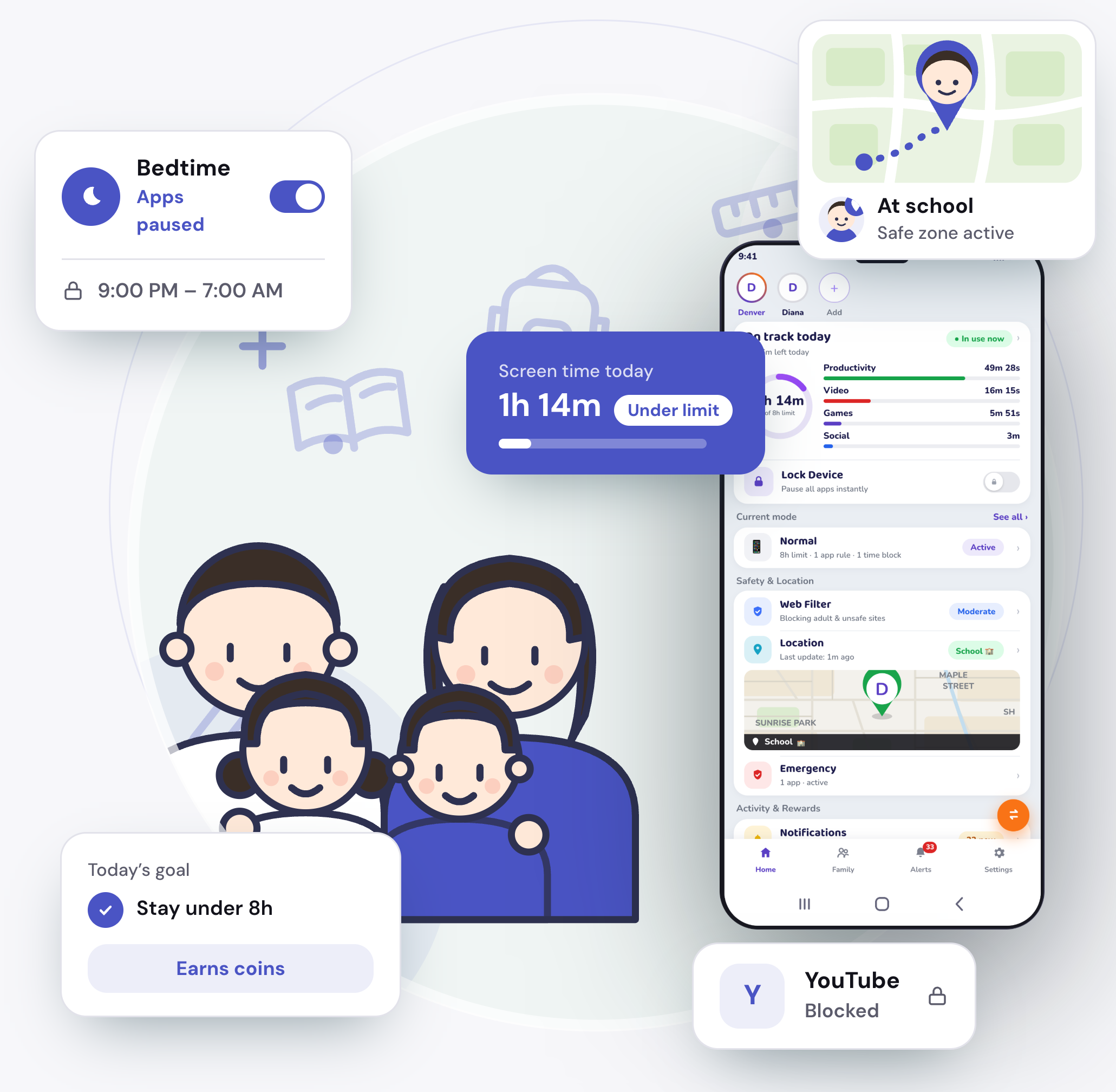
Features
Everything you need to keep an eye on their phone.
A live look when you need one, and the everyday limits that hold the rest of the day.
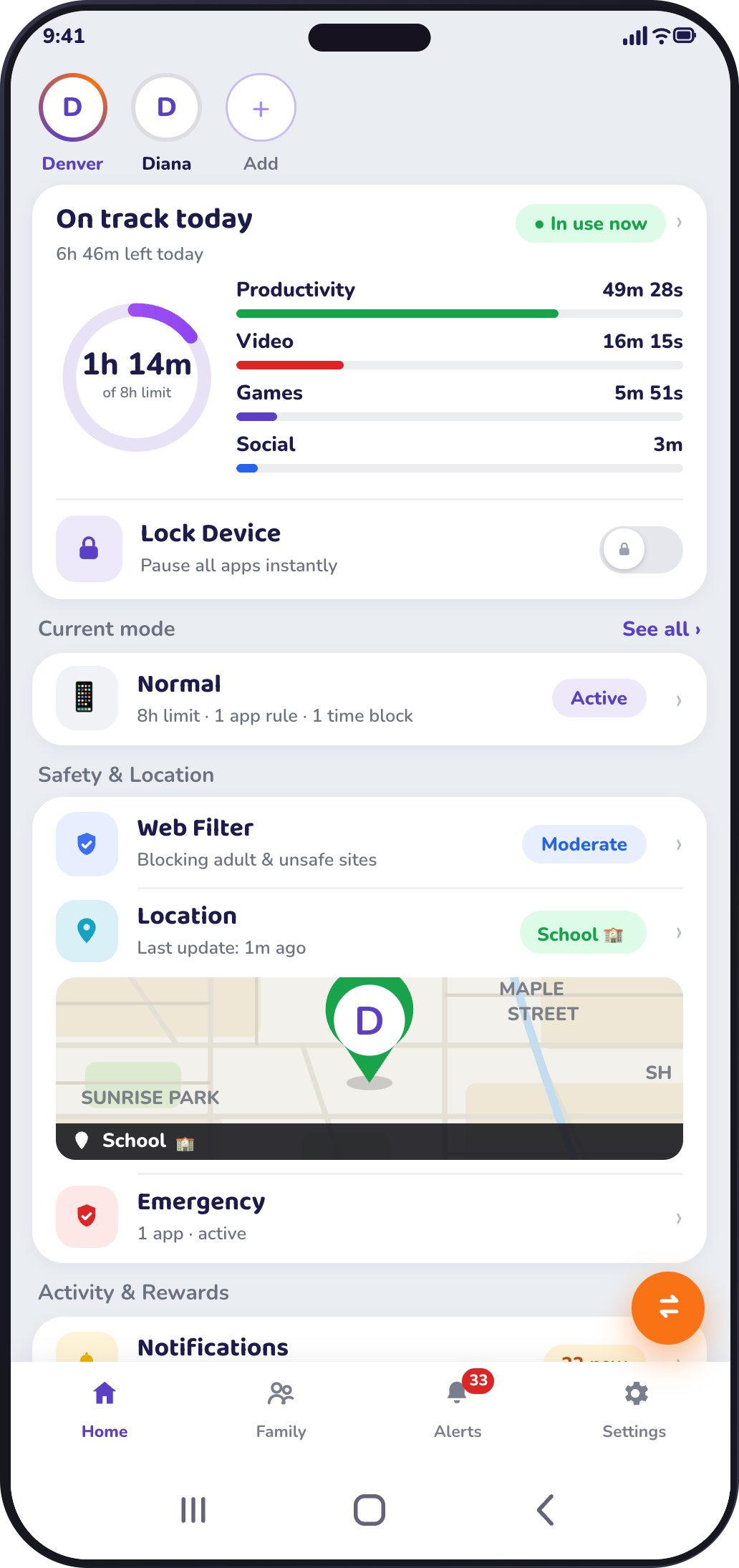
- Activity ViewSee what happens on their phone, as it happens.
- Location ViewWhere they are, and where they have been.
- Screen TimeA daily limit that holds without you in the room.
- Tracking AppWhich apps they use, and for how long.
- App BlockerAllow it, limit it, or block it — one choice per app.
- NotificationsThe alerts that matter, on your phone.
- Daily UsageThe whole day, in one report.
- Camera ViewA live look through the phone’s camera, when you ask.
- Screen ViewMirror their screen, live, from your phone.
- SnapshotAsk for a photo or screenshot, on demand.
- Browser MonitoringKeep the corners of the web they shouldn’t find yet out of reach.
When a report isn’t enough, look for yourself.
The part other screen-time apps don’t have. Open a live view of their screen, their camera or the sound around them — or ask for a snapshot — right when you need it. Guardian is visible on their phone, and every live view starts only when you ask.
Works on
Android today, and honest about the rest.
Guardian is two apps. The parent app comes from Google Play; the child app installs directly on their phone. We’ll say plainly what’s available before you sign up.
Parent app
Guardian
- Android
- Available
- iPhone / iPad
- Later
Child app
Guardian Kid
- Android
- Available
- iPhone / iPad
- Not yet
Complete family protection in 3 easy steps
Download and install
Install Guardian on your phone from Google Play.
Create your account
Sign up and sign in on the parent’s phone.
Pair your child’s phone
Install Guardian Kid on their phone and enter the pairing code to connect both devices.
Visible, not secret
Monitoring your child should know about.
Some apps sold to worried parents hide themselves and collect more than families expect. Guardian is built the other way: visible on the phone, consent-based, and limited to what you switch on.
- Visible, never hiddenGuardian appears on your child’s phone under its own name. No disguised icon, no fake “system service”.
- Consent is recordedYour child agrees when the phone is paired, and can see that Guardian is there. The arrangement is in the open.
- Nothing captured behind your backA live view or a snapshot happens only when you ask for it — Guardian doesn’t quietly record on its own.
- Answerable for the dataBuilt under India’s DPDP Act, with a named Grievance Officer. You can delete everything at any time.
🔴 Placeholder — real figures to come
- —Play Store rating
- —Families protected
- —Countries
Featured on
- Press
- Press
- Press
- Press
調査データ
気のせいではありません。
デジタル・チャイルドフッド・レポート, グローバル版 — 2026年三月. Sourced from 世界保健機関(WHO), 米国小児科学会, Common Sense Media(コモン・センス・メディア), 米国公衆衛生局長官, 米国疾病予防管理センター(CDC), JAMA Pediatrics(医学誌).
2時間27分
0歳から8歳のお子さまの、一日あたりの平均スクリーンタイム
Common Sense Media, 2025 Census — nationally representative US survey of parents40%
の子どもが、二歳になる前に自分専用のタブレットを持っています
Common Sense Media, 2025 Census — by age eight, one in four has their own phone“画面は敵ではありません。適切な量と適切な内容、そして保護者の関わりがあれば、すばらしい道具になります。問題が始まるのは、画面が子どもに最も必要なもの——遊び、会話、睡眠、そして創造力を生むあの豊かな退屈——の代わりになってしまったときです。…”
Questions
The questions parents actually ask
Does my child know Guardian is there?
Yes. Guardian is visible on their phone under its own name, and consent is recorded when the phone is paired. It is not a hidden or secret tool.
Can Guardian open the camera or screen without my child knowing?
No. A live view starts only when you ask for it, Guardian is visible on the phone, and Android shows its own camera and microphone indicators.
Does it work on iPhone?
The parent app is on Android today, with an iPhone version on the roadmap. The child app is Android only. If your child uses an iPhone, Guardian cannot help yet — we would rather say so before you sign up.
Can my child uninstall it?
They can — and you will know, because Guardian tells you protection was switched off. We would rather say that plainly than promise a lock we do not have.
How long do you keep my child’s data?
Location is kept for thirty days, then deleted automatically. On-demand captures are stored for a short window and then removed. You can delete everything at any time.
Does Guardian read my child’s messages?
No — Guardian is not a message monitor. It shows which apps are used and the live view you ask for, and it leaves your child’s chats and calls alone.
Keep an eye on their phone, out in the open.
Install Guardian on your phone, set up your child’s, and see what you need to — with them knowing it’s there.
- Both parentsOne account, whoever’s at home
- Visible & consentedNot a hidden spy tool
- Delete anytimeYour data, gone on request
- Built under DPDPIndia’s data-protection law